Nudge

Time tracking for DaVinci Resolve Studio

You'll log your hours at the end of the week. You won't.

Nudge does it for you. It runs inside Resolve, tracks your time while you edit, and asks where you went when you step away. So you quote properly, bill for the real hours, and get paid for them.

Buy Nudge from US$9 From US$9 one-off. No subscription.
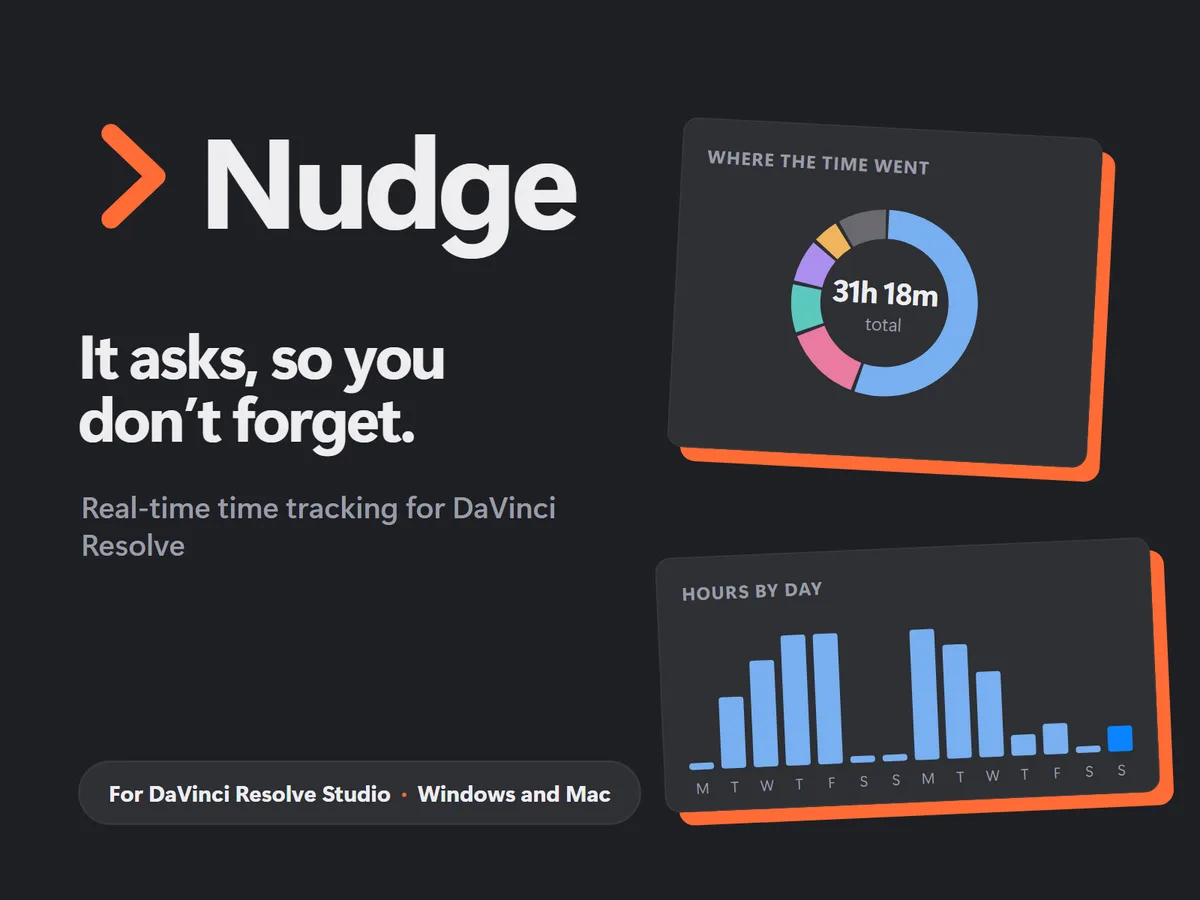
Nudge showing where the time went, 31 hours 18 minutes total, and hours by day

Sound familiar?

You forgot to start the timer. Again.

You'll log it at the end of the day. Then the end of the week. Then it's too big a job, so it never happens.

You told the client 10 hours. It was really 16. You billed for 10.

You lost an afternoon in Fusion or colour and have no idea how long it actually was.

You're paying for a time tracking app you don't actually use.

A similar job comes in, you quote from memory, and underquote it again.

Why I built Nudge

I'm Grant, a working editor in Auckland. Tracking time is hard. The apps I tried made me start and stop a timer, or log my hours from memory at the end of the day and allocate them to projects. I'd tell myself I'd do it at the end of the day, then the end of the week, and by then it was too big a job. So I never logged my hours, and I was paying for a well-known tracking app I didn't actually use.

So I built Nudge to track my own edits. I was sick of paying for time trackers that were costing me money, not making me money. Nudge asks me in the moment instead.

How the nudges work

> Open Resolve

What are you working on?

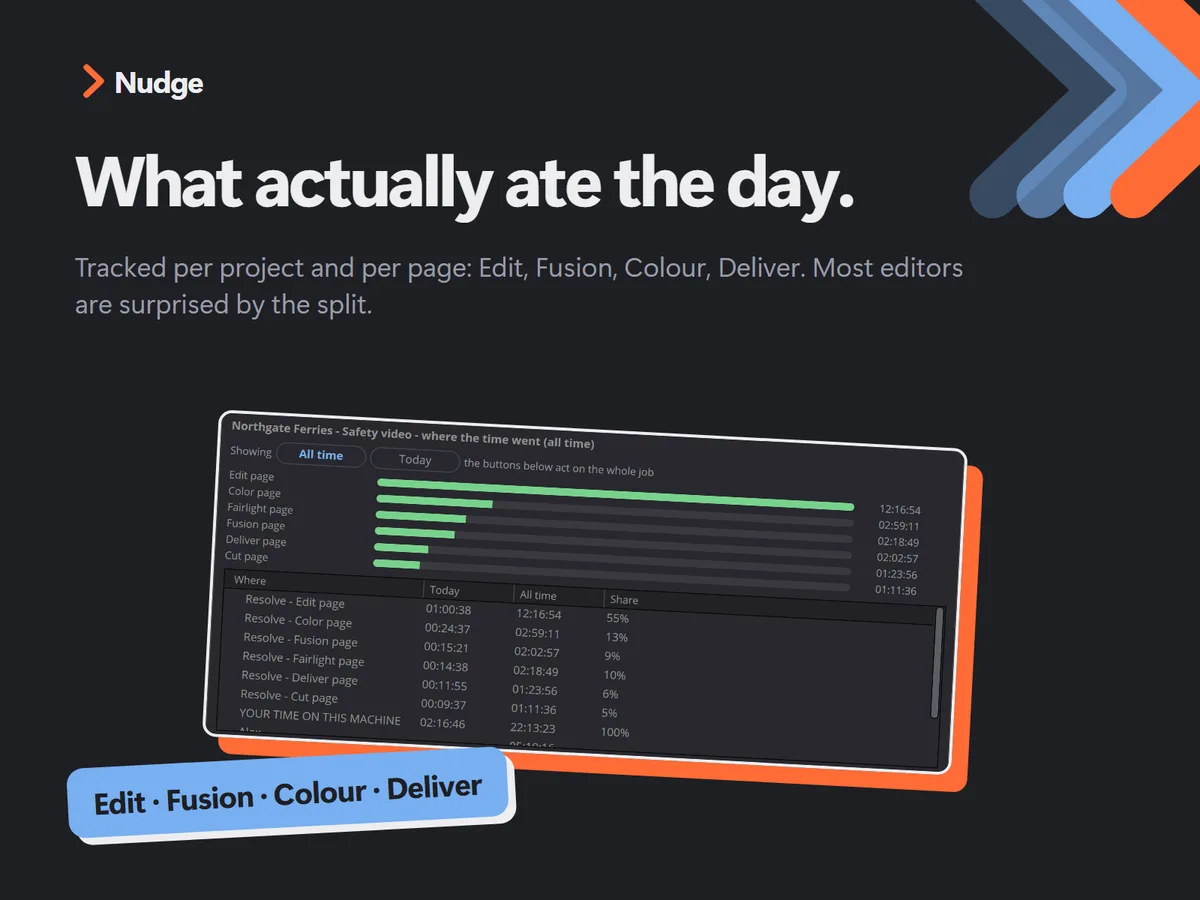
Nudge pops up when you open Resolve and asks which project you're on. Then it tracks while you edit, per project and per page: Edit, Fusion, Colour, Deliver.

> Step away

Where were you?

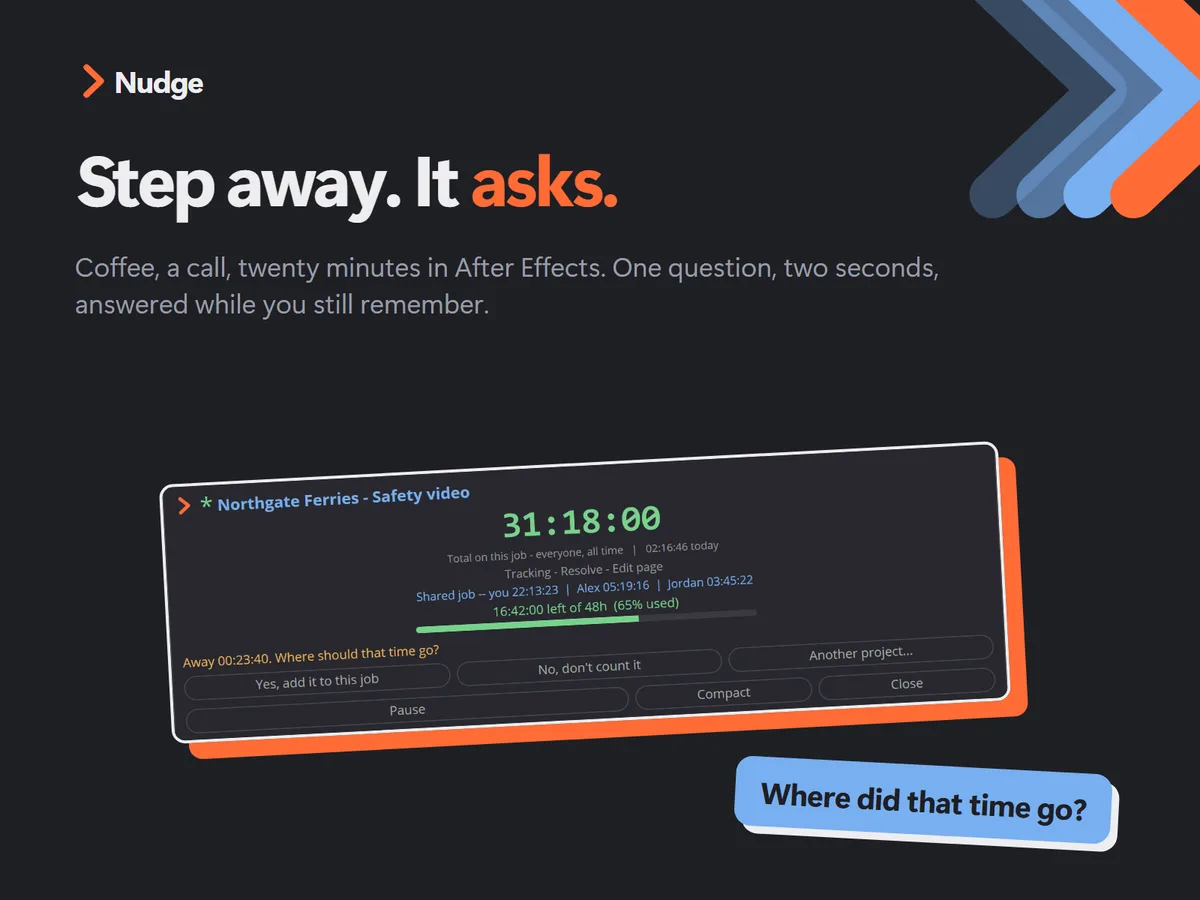
Grab a coffee or take a call, come back and move the mouse, and it asks: where were you, and should that go to this project?

> Other apps

Was that for this job?

It recognises creative apps like After Effects and Frame.io and allocates or asks. In a browser like Google Chrome it knows you were in the browser, not what you did there, so it asks: this project, another one, or not at all? Your call.

One question, two seconds, answered while you still remember. Yes, it interrupts you. That's the feature.

What it did for me

It gave me real clarity on what to charge. Once I could see the actual hours, I realised I'd been undercharging by half a day to a day on about 70% of my edits.

Now I charge the extra day. A case study I used to quote at two days of editing is now three. That's meant more revenue year on year, from the same work I was already doing.

If even one job gets billed properly, it's paid for itself.

See pricing, from US$9

A closer look

Nudge asking what you were doing
It asks when you come back.
Time split by Resolve page
Time per project and per page.
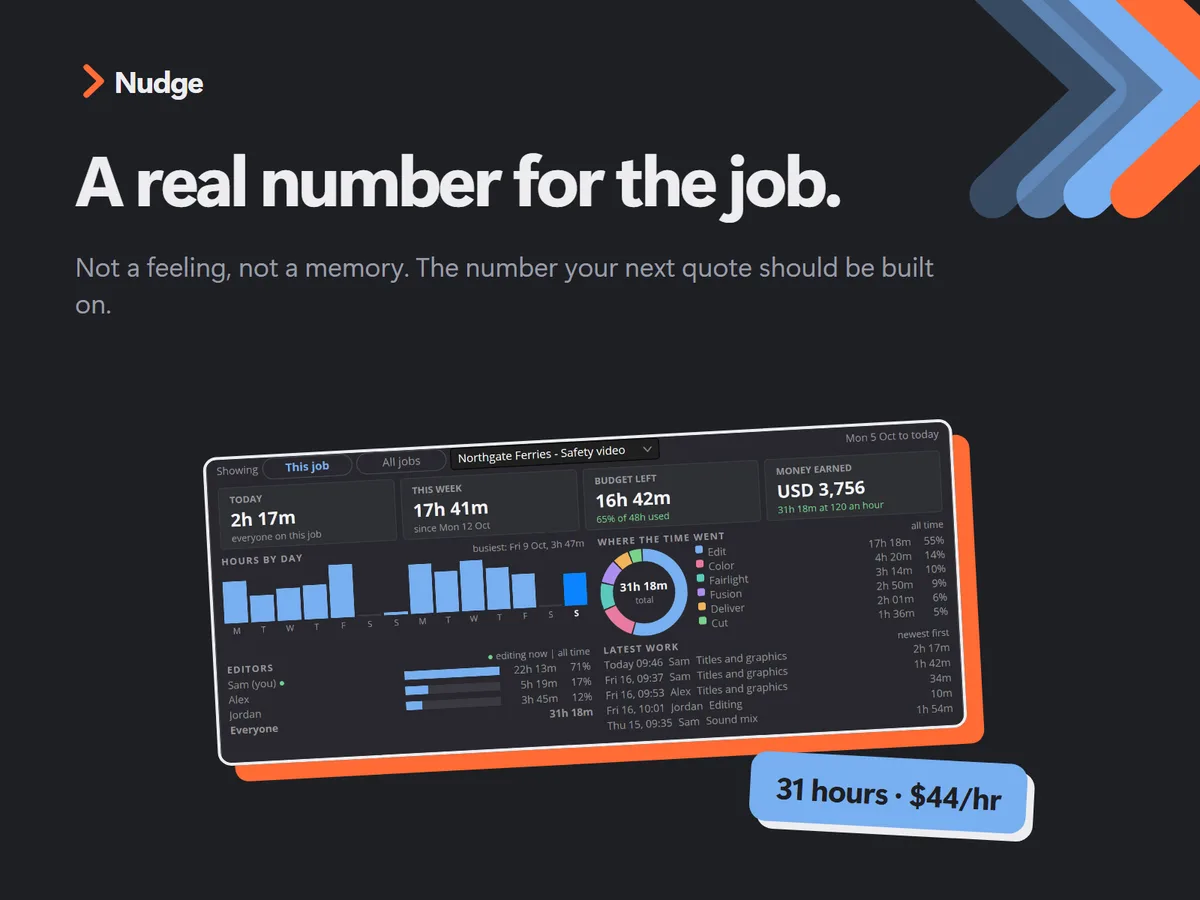
Real cost of a job
A real number for what a job costs you.
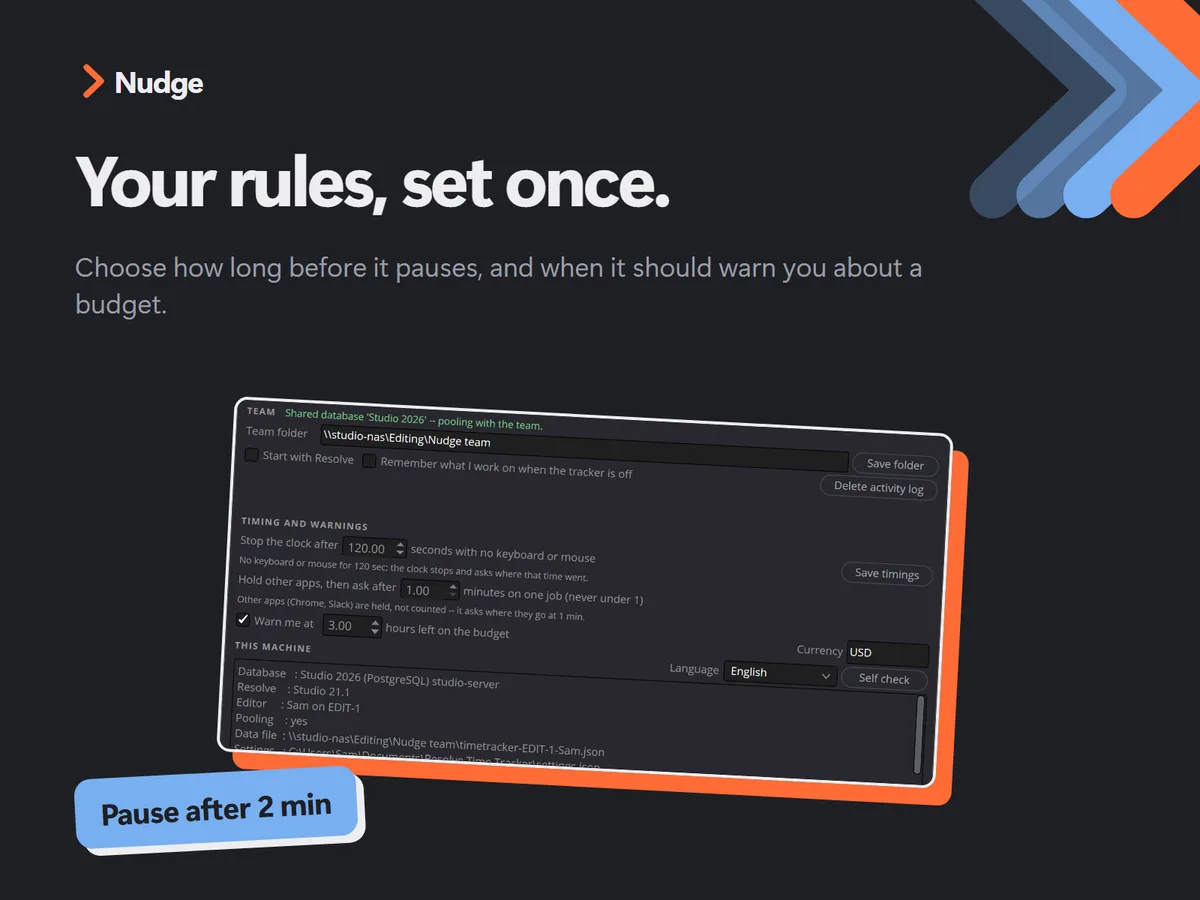
Nudge settings
Set it up your way.

Running a team?

Team tracking is built in. Buy a team tier and you get one licence key that covers the whole team, with 2 computers per editor. Point Nudge at a shared Dropbox or Google Drive folder and everyone's time comes together in one place. It's a simple tool, but it answers questions that are hard to answer otherwise.

Hours per editor

See how many hours each editor is actually getting through each month.

Real editing time

If you pay editors a salary, see the hours they're actually editing, say 60 versus 160 a month, instead of guessing from the number of projects.

What the work earned

Put an hourly rate on projects and see what each editor's work actually earned that month.

Pricing

US$9 for one editor, then US$7 for each extra editor. Every editor gets 2 computers. One-off payment, lifetime licence, team tracking included.

Solo

US$9

2 activations
One licence key

Buy Solo

2 editors

US$16

4 activations
One shared licence key

Buy 2 editors

3 editors

US$23

6 activations
One shared licence key

Buy 3 editors

4 editors

US$30

8 activations
One shared licence key

Buy 4 editors

5 editors

US$37

10 activations
One shared licence key

Buy 5 editors

Bigger team than five? Email hello@nudgetimetracker.com and we'll sort something out.

Requirements

  • DaVinci Resolve Studio (the paid version)
  • Windows or Mac
  • Not for the free version of Resolve yet. A free-version build is coming.

What you get

  • The Nudge script for DaVinci Resolve Studio (Windows and Mac)
  • One licence key per purchase, with 2 computers per editor
  • Lifetime licence, one-off payment from US$9

How it works after you buy

1

Download

You get a download link straight away, and again in your receipt email. Install instructions are in the download.

2

Licence key

Your licence key is shown at checkout and in your receipt. Pop it into Nudge the first time you run it.

3

Activate

Each computer uses one activation. Solo gets 2, say your edit suite and your laptop. Team tiers get 2 per editor on the same key.

14-day money-back guarantee

If Nudge isn't right for you, email hello@nudgetimetracker.com within 14 days of buying and I'll refund you in full. No fuss. Your licence key is switched off when the refund goes through.

FAQ

Does it work with the free version of DaVinci Resolve?

Not yet. Nudge needs DaVinci Resolve Studio for now. A version for free Resolve is coming.

Is it a subscription?

No. It's a one-off payment for a lifetime licence, from US$9.

How many computers can I use it on?

2 per editor. Each computer uses one activation, so Solo covers 2 computers and 5 editors covers 10.

Is team tracking extra?

No. It's built in. Pick the tier for your team size: US$9 for one editor, plus US$7 for each extra editor.

Does everyone on the team need their own key?

No. One key covers the whole team. Everyone enters the same key, and each computer uses one activation.

Working across two machines?

No problem. Point Nudge's data folder at your Dropbox or Google Drive folder on each computer (the synced folder that lives on your machine) and your hours stay in sync. Best used on one machine at a time.

How does the team's time come together?

Point Nudge at a shared Dropbox or Google Drive folder on each computer. Your time syncs between your own computers, and across the team, through that folder.

More than five editors?

Email hello@nudgetimetracker.com and we'll sort something out.

Can Nudge see what I do in other apps?

Only which app was active while you were away from Resolve. It recognises creative apps like After Effects and Frame.io. In a browser it knows you were in the browser, not what you did there. It stays on your computer, or in your own shared folder if you set one up.

Do I have to remember to start and stop it?

No. It runs while you edit. It asks what you're working on when you open Resolve, then a quick question when you come back from a break.

Who handles payment?

Lemon Squeezy handles checkout, payment and receipts as the merchant of record, including any sales tax.

Who makes it?

Grant Ballot, a working editor in Auckland, New Zealand. I built it to track my own edits, because the time trackers I was paying for were costing me money, not making me money.

Get paid for the hours you actually work.

From US$9 one-off. Questions first? Email hello@nudgetimetracker.com and I'll get back to you.

Buy Nudge